Gaming consoles give us hours of fun. Whether you play games on a PlayStation, Xbox, or Nintendo Switch, you want your system to work well every time you turn it on. But like other electronic devices, gaming consoles collect dust and dirt over time. This can affect airflow, cause heat problems, and lead to other issues.
A console that gets too hot, makes loud fan noises, or shuts down during a game should not be ignored. These signs can point to dust buildup, poor airflow, or a hardware problem that needs attention.
Regular console cleaning can help keep your gaming system in good shape. It removes dust from key areas and helps air move through the console. When a system has a repair issue, a proper check can help find the cause and guide the next step.
If you are looking for console cleaning and repair in Decatur, GA, Cell Phone Quick Fix is a local place to visit. Located at Flat Shoals Crossing, the shop helps customers with device care and console service needs.
Whether you need PS5 cleaning, Xbox cleaning, fan dust removal, or help with a common console problem, getting the right service can help protect your gaming system.
In this guide, we will explain why console cleaning matters, what signs to watch for, how dust affects performance, and when to seek professional console repair in Decatur.
Why Does Your Gaming Console Need Regular Cleaning?
Your gaming console works hard when you play games. Its internal parts produce heat, and the cooling system helps control that heat. Fans and air vents play an important role in this process.
During daily use, the console pulls air through its vents. Dust, pet hair, and other small particles can collect around these areas. Some dirt can also build up inside the system.
A small amount of dust on the outside may not seem like a big problem. But heavy dust buildup can block airflow and make cooling less effective.
Here are some reasons why regular console cleaning is important.
1. Dust Can Block Airflow
Gaming consoles need fresh air to stay cool. Their fans move air through the system to help control heat.
When dust covers the air vents, air cannot move as freely. The cooling fan may have to work harder to keep the system at a safe temperature.
This can make the fan louder and may cause the console to run hotter.
Cleaning the air vents and removing dust can help improve airflow.
2. Dust Can Build Up Around Cooling Fans
The cooling fan is one of the most important parts of a gaming console. It helps move warm air away from internal parts.
Dust and dirt can collect around the fan blades and nearby areas. Over time, this buildup may affect how well the fan moves air.
A proper internal cleaning can help remove dust from these areas. It can also make it easier to check the fan for visible damage or other problems.
3. Dirt Can Affect Console Ports
Gaming consoles have several ports for power cables, HDMI cables, USB devices, and other accessories.
Dust can collect around these ports. Dirt inside a connection may also affect how well a cable fits or works.
Ports should be cleaned with care. Using sharp objects or putting liquid inside a port can cause damage.
If your HDMI cable keeps losing its connection or a USB accessory does not work, the problem may need more than basic cleaning.
4. Regular Care Helps Protect Your Console
A gaming console is an important device for many players. Some people use it every day, while others use it for a few hours each week.
Keeping the console clean is a simple way to care for it. It also gives you a chance to notice problems before they become worse.
Cleaning does not prevent every repair issue. However, good care can help reduce dust-related problems and support better airflow.
What Are the Common Signs That Your Console Needs Cleaning?
Your gaming console may show signs when it needs attention. You do not have to wait until it stops working.
Watch for these common warning signs.
Loud Fan Noise
Does your PS5 or Xbox sound louder than usual?
A fan can become louder when it works harder to cool the system. Dust around the vents may be one reason.
However, fan noise does not always mean the console needs cleaning. Some games use more system power, which can make the fan run faster.
If the noise is new, very loud, or continues during normal use, it is worth having the console checked.
Console Overheating
Overheating is one of the main problems gamers want to avoid.
A hot console may have poor airflow, a blocked vent, or a cooling system problem. Dust inside the system can also play a part.
If your console becomes very hot, gives a temperature warning, or shuts down during gameplay, stop using it and let it cool.
A professional check can help find out whether the cause is dust, a fan issue, or another hardware fault.
Random Shutdowns
Does your gaming system turn off while you are playing?
A sudden shutdown can happen for many reasons. Heat is one possible cause, but power supply faults, software issues, and other hardware problems can also cause it.
Cleaning may help when dust is affecting cooling. But a shutdown problem needs proper diagnosis before anyone can suggest a repair.
Dust Around Air Vents
Look at the air vents on the sides and back of your console.
If you see thick dust around them, it may be time for cleaning. Dust around the vents can limit airflow and collect inside the system.
Do not push tools deep into the openings. A trained technician can check areas that are not safe or easy to reach.
Slow or Unstable Performance
Some players think that a slow game always means the console needs cleaning. This is not always true.
Game performance can depend on software updates, storage space, internet speed, and many other factors.
However, if slow performance happens along with overheating, loud fan noise, or sudden shutdowns, the cooling system should be checked.
A proper inspection can help separate a cleaning issue from a repair issue.
Professional Console Cleaning Services in Decatur, GA
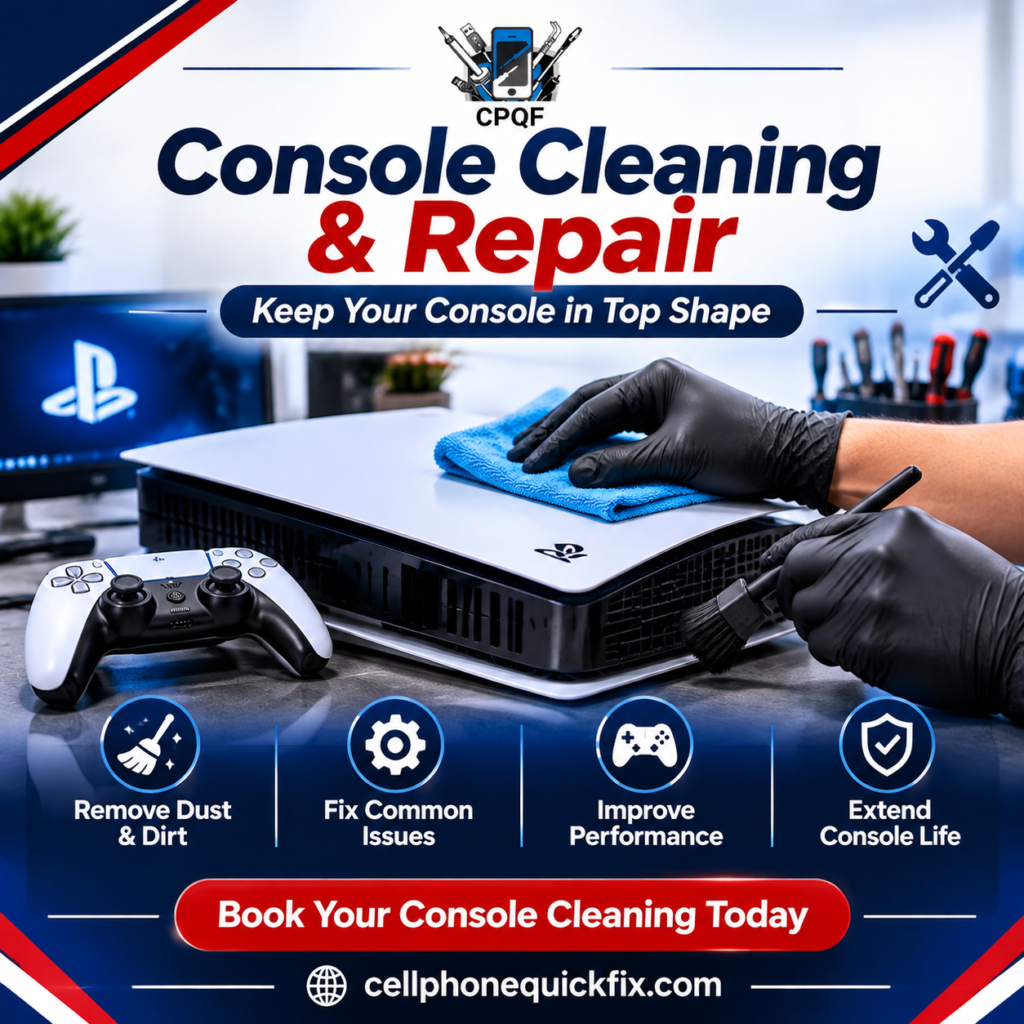
Cleaning a gaming console is not the same as cleaning a TV stand or computer desk. Consoles have small parts, fans, vents, ports, and circuit boards. These parts need careful handling.
A basic outside wipe can remove fingerprints and surface dirt. But it cannot remove all the dust that may collect inside the system.
This is where professional console cleaning can help.
At Cell Phone Quick Fix, customers in Decatur can visit the shop to ask about console cleaning and repair services.
Here are some common areas that may need attention during console maintenance.
Internal Dust Removal
Dust can collect inside a console after months of use. It may settle around the fan, cooling areas, and air paths.
Internal dust removal focuses on clearing this buildup. It needs the right tools and careful handling.
The goal is to remove dust without harming the delicate parts inside the system.
Fan and Vent Cleaning
The fan and air vents help control the temperature of your console.
When dust covers these areas, airflow can become weaker. A proper cleaning can remove dirt from accessible fan and vent areas.
This may help the cooling system work as intended.
Console Exterior Cleaning
The outside of a gaming console can collect fingerprints, dust, and marks.
A soft, clean cloth can help remove surface dirt. The correct cleaning method depends on the console model and its finish.
The outside should be cleaned without letting water or other liquids enter the vents and ports.
Console Inspection
Cleaning is also a good time to check the general condition of the system.
A technician may look for signs of dust buildup, loose connections, damaged ports, fan problems, or other visible issues.
An inspection helps identify problems that may need repair instead of cleaning alone.
Cooling System Check
If your console gets too hot, cleaning the outside may not solve the issue.
The cooling system may need a closer check. This can include the fan, airflow path, and other cooling parts.
A technician can help find out whether dust removal is enough or if further repair is needed.
PS5 Cleaning in Decatur, GA: Why It Matters
The PlayStation 5 is a powerful gaming system. It has a cooling system that helps control heat during long gaming sessions.
Like other consoles, the PS5 needs open space around its air vents. Dust can collect around the vents and inside the system over time.
Sony recommends keeping the PS5 vents clear and leaving at least 10 cm of free space around the console. It also advises users to disconnect the power cable before cleaning. For dust around the air vents, Sony recommends using a low-powered vacuum cleaner.
Common PS5 Cleaning Signs
Your PS5 may need attention if you notice:
- Loud fan noise during normal use
- Thick dust around the air vents
- More heat than usual
- Dust collecting around the console body
- Repeated temperature warnings
- Unexpected shutdowns
These signs do not all point to the same problem. A technician should check the system before deciding what service it needs.
Why PS5 Internal Cleaning Is Important
The PS5 has internal cooling parts that are not easy to reach during basic home cleaning.
Dust may collect around the fan and other areas. Cleaning these parts takes care and the right tools.
Opening a PS5 without the correct knowledge can damage its parts. It may also affect warranty coverage. Check Sony’s warranty and service terms before arranging third-party internal work.
If you need PS5 cleaning in Decatur, GA, visit Cell Phone Quick Fix to ask about available cleaning and repair options.
Xbox Cleaning and Repair: Keep Your Gaming System in Good Shape
Xbox consoles also need regular care. Whether you use an Xbox Series X, Series S, or another model, dust can collect around the body and air vents.
The console needs proper airflow to control heat. A blocked vent or a dusty cooling area can affect how well the system stays cool.
Microsoft recommends turning off and unplugging an Xbox before cleaning it. It also advises using a soft, lint-free cloth and avoiding direct liquid application to the console.
Signs Your Xbox Needs Cleaning
Look out for these signs:
- The cooling fan sounds louder than normal.
- Dust is visible around the air vents.
- The console becomes unusually hot.
- The system shuts down during gameplay.
- The console has dirt around its ports.
- Airflow seems blocked.
These signs can point to dust buildup or another issue. A proper check can help find the cause.
Why You Should Not Ignore Xbox Overheating
Heat can affect the normal operation of electronic parts. If your Xbox gives a heat warning or shuts down due to temperature, do not keep trying to play.
Turn it off and allow it to cool. Check that nothing blocks the vents. If the issue continues, seek professional help.
A cleaning service may help when dust is the cause. If a fan, power supply, or another part has a fault, the console may need repair.
Nintendo Switch Cleaning and Care
The Nintendo Switch is different from home consoles because it can be used as both a handheld system and a TV-connected gaming device.
Its smaller size makes careful cleaning important. Dust, fingerprints, and dirt can collect on the screen, body, controllers, and other parts.
Nintendo advises users to turn off the system and unplug accessories before cleaning. It also says not to pour liquid directly onto the product or place it in water. The system should be fully dry before use.
Common Nintendo Switch Cleaning Needs
Some areas that need regular care include:
- Screen and outer body
- Joy-Con controllers
- Charging area
- Air vents
- Buttons and control surfaces
- Dock and accessory connections
Use the cleaning instructions for your exact model. Do not force tools into small openings or use too much liquid.
If the Switch has charging issues, loose connections, or other faults, cleaning alone may not solve the problem.
Console Repair vs. Console Cleaning: What Is the Difference?
Many people use the words cleaning and repair as if they mean the same thing. But they are two different services.
Console cleaning removes dust, dirt, and other buildup from the outside and suitable internal areas of a gaming system.
Console repair focuses on finding and fixing a fault that affects how the system works.
Knowing the difference can help you choose the right service.
| Console Cleaning | Console Repair |
|---|---|
| Removes dust and dirt | Fixes hardware faults |
| Cleans air vents | Checks faulty fans |
| Helps clear cooling areas | Addresses cooling system faults |
| Removes surface marks | Deals with damaged ports |
| Supports better airflow | Fixes other confirmed problems |
Some consoles need both services. For example, a system may have heavy dust buildup and a faulty fan.
In that case, cleaning may be one part of the work, but the damaged part may also need attention.
Common Gaming Console Problems That May Need Repair
Here are some problems that may require professional diagnosis.
1. HDMI Port Problems
The HDMI port connects your console to your TV or monitor. If the port is damaged, the screen may show no picture or lose its connection.
Possible signs include:
- No display on the TV
- A loose HDMI cable connection
- A picture that cuts in and out
- A damaged or bent port
A technician can inspect the port and check whether it needs repair.
2. Power Problems
A console that does not turn on may have a power-related fault.
Possible causes include a damaged cable, a faulty power connection, an internal power supply problem, or another hardware issue.
Check the power cable and outlet first. If the system still does not start, professional diagnosis may be needed.
3. Fan Problems
A fan that makes grinding, clicking, or unusual noises may have a mechanical issue.
Dust can cause problems, but not every noisy fan needs cleaning alone.
A technician can inspect the fan and decide whether cleaning or repair is needed.
4. Disc Drive Problems
Some PlayStation and Xbox models include a disc drive.
A disc drive may have trouble accepting, reading, or ejecting discs. Dirt, a damaged disc, or a mechanical fault may be involved.
Do not push a disc into a drive that is not working correctly.
5. Controller Connection Problems
A gaming controller may stop connecting or responding.
The issue may come from a low battery, software, wireless connection, cable, or controller hardware.
A proper check can help find the cause.
6. Charging Problems
Some controllers and handheld consoles may have charging problems.
A damaged cable, dirty connection, or faulty charging port may be responsible.
Avoid forcing a cable into the port. If the connection feels loose or damaged, have it checked.
How Dust and Heat Affect Gaming Console Performance
Dust and heat are two common concerns for console owners.
Gaming systems use electronic parts that produce heat during operation. Their cooling systems move air to help control the temperature.
When dust blocks airflow, the cooling system may not work as well as it should.
Here is how dust and heat can affect a console.
Reduced Airflow
Air vents allow air to move through the console.
When dust covers the openings, the system may not get the airflow it needs. This can make cooling less effective.
Keeping vents clear is one of the easiest ways to care for your console.
More Fan Noise
A cooling fan may spin faster when the system needs more cooling.
If dust affects airflow, the fan may have to work harder. This can lead to more noise.
However, some games naturally make the fan louder. A change in sound should be checked in context.
Heat Warnings
Some consoles show a warning when their temperature becomes too high.
If you see this warning, stop playing and let the system cool down. Check the space around the vents.
If the warning keeps coming back, arrange a professional check.
Unexpected Shutdowns
A console may shut down to protect itself when it gets too hot.
But sudden shutdowns can also happen because of power or hardware faults.
Do not assume dust is the only cause. The system needs proper diagnosis if the problem continues.
Possible Damage From Poor Handling
Trying to clean the inside of a console without the right tools can cause damage.
A broken connector, damaged fan, or loose cable can turn a simple cleaning job into a repair problem.
Professional handling helps reduce the risk of mistakes.
Can You Clean Your Gaming Console at Home?
Yes. You can clean some parts of your gaming console at home. Basic cleaning can remove surface dust and fingerprints. However, internal cleaning needs more care.
If you only see dust on the outside, you may not need a full internal cleaning.
Here are some safe steps for basic console care.
Step 1: Turn Off the Console
Always turn off your gaming system before cleaning it.
Do not clean a console while it is running. This can put the device and the person cleaning it at risk.
Step 2: Unplug All Cables
Disconnect the power cable and other connected accessories.
This includes HDMI cables, USB devices, controllers, and headsets.
Wait for the console to cool down before touching it.
Step 3: Clean the Outer Body
Use a soft, clean, dry cloth to remove dust and fingerprints.
Do not press too hard on the surface. Avoid using rough cloths that can leave scratches.
Step 4: Check the Air Vents
Look at the vents on the sides and back of the console.
If you see dust around the openings, clean the outside area with care. Do not push objects deep inside the vents.
Sony recommends a low-powered vacuum for dust around PS5 air vents. Always follow the instructions for your exact console model.
Step 5: Check the Cables and Ports
Look at the HDMI, USB, and power connections.
Check for visible dirt or damage. Do not use sharp tools to clean inside the ports.
If a port looks damaged or a cable does not fit properly, ask a technician to check it.
Step 6: Let the Console Dry
If you use a slightly damp cloth on a surface where the manufacturer allows it, make sure the console is fully dry before reconnecting it.
Never spray cleaning liquid directly onto the console.
When Should You Avoid DIY Console Cleaning?
Some cleaning jobs are better left to a trained technician.
Avoid opening the console if you do not know how to handle its internal parts. You should also avoid trying to fix:
- Damaged cooling fans
- Internal power problems
- Broken HDMI ports
- Circuit board faults
- Liquid damage
- Loose internal connections
- Repeated overheating problems
A small mistake can cause more damage. Professional console cleaning and repair can help you avoid unnecessary risks.
Common Console Cleaning Mistakes to Avoid
Many console problems start when people use the wrong cleaning methods.
Here are some mistakes you should avoid.
1. Spraying Liquid Directly on the Console
Never spray water or cleaning products directly onto your gaming system.
Liquid can enter the vents, ports, and other openings. This can damage electronic parts.
Put any approved cleaning solution on a suitable cloth first, following the manufacturer’s instructions.
2. Using Too Much Air Pressure
Some people use strong compressed air to remove dust from their consoles.
This can push dust deeper into the system if used incorrectly. It can also cause problems with delicate parts.
Use only cleaning methods approved for your console model.
3. Using Sharp Objects
Do not use needles, pins, screwdrivers, or other sharp objects to remove dirt from vents and ports.
These objects can damage connectors and internal parts.
4. Cleaning While the Console Is On
Always turn off and unplug your console before cleaning.
This is an important safety step for both the user and the device.
5. Blocking the Air Vents
Some people place their consoles inside small cabinets or tight spaces.
This can limit airflow and make it harder for the cooling system to work.
Keep enough open space around your console.
6. Ignoring Fan Noise
A new grinding or clicking sound should not be ignored.
The issue may be more than dust. The fan or another internal part may need attention.
7. Opening the Console Without Knowledge
Gaming consoles have delicate internal parts. Opening one without the correct tools and knowledge can lead to damage.
It may also affect your warranty. Check the manufacturer’s warranty terms before arranging internal work.
How Often Should You Clean Your Gaming Console?
There is no single cleaning schedule for every gaming console.
The right schedule depends on how often you play, where you keep the system, and how much dust is in your home.
A console in a clean room may collect less dust than one kept near a carpet, pet area, or open window.
Here is a simple guide:
| Cleaning Area | Suggested Care |
|---|---|
| Console outer body | Wipe when dust or fingerprints appear |
| Air vents | Check regularly |
| Controller | Clean when dirt builds up |
| Cables and ports | Inspect from time to time |
| Internal parts | Arrange cleaning when needed |
| Cooling system | Check if noise or heat problems appear |
Microsoft’s Xbox device guidance recommends regular cleaning, with a suggested interval of three to six months or whenever needed. This is useful general guidance, but always follow the instructions for your own console.
Factors That Can Make Your Console Collect More Dust
Some places and habits can lead to faster dust buildup.
Pets: Pet hair can collect around air vents and other openings.
Carpets: A console placed close to a carpet may collect more dust and fibres.
Open windows: Dust from outside can settle on your gaming system.
Poor storage: A console kept in a tight cabinet may have less airflow.
Long gaming sessions: More use means more time for the cooling system to pull air through the vents.
You can reduce dust buildup by keeping your gaming area clean and giving your console enough open space.
Why Choose Cell Phone Quick Fix for Console Cleaning and Repair in Decatur?
Finding a local repair shop can make it easier to get help when your gaming system needs attention.
Cell Phone Quick Fix is located at Flat Shoals Crossing in Decatur, Georgia. The shop is a convenient option for local customers who need help with device cleaning and repair needs.
If your console has dust buildup, loud fan noise, or signs of overheating, you can visit the store and ask about available service options.
Convenient Location in Decatur
Cell Phone Quick Fix is located at:
3910 Flat Shoals Pkwy #107, Decatur, GA 30034, United States
The shop is inside Flat Shoals Crossing.
Its location makes it accessible to customers looking for console cleaning and repair near Flat Shoals Parkway.
Help With Console Cleaning Needs
Dust buildup can affect your console’s cooling system.
If your gaming system needs internal dust removal, fan cleaning, or an inspection, ask the team about the service available for your model.
Cleaning and Repair Assistance
Not every console problem needs the same solution.
Some systems only need cleaning. Others may have a damaged fan, loose connection, or another hardware issue.
A proper check can help identify the problem before repair work begins.
A Local Place for Gaming Device Care
You do not always need to look far for help with your gaming system.
If you live in Decatur or a nearby area, you can visit Cell Phone Quick Fix to discuss your console cleaning and repair needs.
Visit the website to learn more about the business and available services:
Website: https://cellphonequickfix.com/
Areas We Serve Around Decatur, Georgia
Cell Phone Quick Fix is located at Flat Shoals Crossing in Decatur, GA.
Customers looking for local console cleaning and repair can find the shop at 3910 Flat Shoals Pkwy #107.
The location is useful for people searching online for services such as:
- Console cleaning near Decatur, GA
- PS5 cleaning near Flat Shoals Parkway
- Xbox cleaning near Flat Shoals Crossing
- Gaming console repair in Decatur
- PlayStation repair near Decatur
- Console overheating service near me
- Local gaming system cleaning
If you are coming from a nearby area, check the shop’s website for more information before visiting.
How to Know Whether Your Console Needs Cleaning or Repair
Sometimes, it is hard to know what is wrong with a gaming system.
For example, loud fan noise can come from dust buildup or a faulty fan. A console that shuts down may have a heat problem or a power issue.
The best way to understand the problem is to look at the signs and have the system checked.
Here is a simple guide:
| Problem | Possible Cause | Suggested Action |
|---|---|---|
| Dust around vents | Dust buildup | Vent cleaning |
| Loud fan noise | Heavy use, dust, or fan fault | Cooling system check |
| Overheating | Poor airflow or cooling fault | Stop use and seek inspection |
| No display | HDMI or other hardware issue | Connection and port check |
| Console will not turn on | Power or hardware fault | Professional diagnosis |
| Disc not reading | Disc or drive problem | Disc drive inspection |
| Controller not charging | Cable, port, or battery issue | Controller check |
These are possible causes, not final diagnoses. A technician needs to inspect the system to confirm the fault.
Tips to Keep Your Gaming Console Clean for Longer
You do not need to wait for a problem before caring for your console. A few simple habits can help keep it clean.
Here are some easy tips.
1. Keep Your Gaming Area Clean
Dust in your room can settle on your console. Clean your desk, shelves, and gaming area often.
2. Give Your Console Enough Space
Do not place your console in a tight cabinet. Keep the air vents clear and allow air to move around the system.
3. Keep It Away From Carpets
Avoid placing your console on a carpet or rug with long fibres. These surfaces can collect dust and block airflow.
4. Clean Your Controllers
Controllers collect sweat, fingerprints, and dirt during use. Wipe them with a soft cloth and follow the cleaning rules for your model.
5. Do Not Cover Your Console
Never cover a running console with cloth or other items. This can block the vents and affect cooling.
6. Check the Vents Often
Look for dust around the air openings. Clean the outside areas when needed.
7. Get Help When Something Seems Wrong
Do not ignore repeated heat warnings, strange noises, or sudden shutdowns. Ask a professional to check the system.
These habits can help you care for your gaming device and reduce dust-related problems.
Book Console Cleaning and Repair in Decatur, GA
Your gaming console deserves proper care. Dust buildup, blocked vents, loud fans, and overheating can affect your gaming experience.
Regular cleaning helps remove dust and dirt from important areas. It also supports better airflow and gives you a chance to spot problems early.
If your console has a repair issue, a proper inspection can help find the cause and the right solution.
Cell Phone Quick Fix offers a local place to ask about console cleaning and repair in Decatur, GA. Whether you need PS5 cleaning, Xbox cleaning, internal dust removal, or help with a common console issue, visit the shop to discuss your needs.
Visit Cell Phone Quick Fix
- Business: Cell Phone Quick Fix
- Address: 3910 Flat Shoals Pkwy #107, Decatur, GA 30034, United States
- Location: Flat Shoals Crossing
- Website: https://cellphonequickfix.com/
Keep your console clean, give it room to breathe, and enjoy your gaming time.
Frequently Asked Questions About Console Cleaning and Repair
1. How often should I clean my gaming console?
Check your console often for dust around the vents. Basic outside cleaning can be done when needed. Internal cleaning depends on dust buildup, usage, and the place where you keep the system.
2. Can dust cause a PS5 to overheat?
Yes. Heavy dust buildup can block airflow and affect cooling. However, overheating can also come from other cooling or hardware problems.
3. Why is my gaming console fan so loud?
The fan may become louder when it works harder to cool the system. Dust, blocked vents, heavy gaming, or a fan problem can be possible causes.
4. Can I clean my PS5 without opening it?
Yes. You can clean the outer body and accessible vent areas without opening the console. Sony recommends unplugging the power cable and using a low-powered vacuum to remove dust around the air vents.
5. Does Xbox need regular cleaning?
Yes. Xbox consoles collect dust over time. Clean the outer body and check the vents regularly. Internal cleaning may be needed when dust builds up inside the system.
6. Can console cleaning fix overheating problems?
Cleaning can help when dust or blocked airflow causes overheating. But a faulty fan or another hardware problem may need repair.
7. Is professional console cleaning better than DIY cleaning?
Professional cleaning can help when dust is trapped inside the console or when you cannot safely reach certain areas. It also allows a technician to check for other visible problems.
8. Can a dirty console shut down during gaming?
It can happen when dust affects cooling and the system becomes too hot. However, power faults and other hardware issues can also cause sudden shutdowns.
9. Where can I get PS5 cleaning in Decatur, GA?
You can visit Cell Phone Quick Fix at 3910 Flat Shoals Pkwy #107, Decatur, GA 30034, inside Flat Shoals Crossing. Ask the team about PS5 cleaning and available repair services.
10. Does Cell Phone Quick Fix offer Xbox cleaning and repair?
Cell Phone Quick Fix is a local place to ask about gaming console cleaning and repair. Contact the shop through its website to confirm service availability for your Xbox model.
11. What should I do if my console makes a strange noise?
Turn it off if the noise is unusual or sounds like grinding or clicking. Check that the vents are clear. If the noise continues, have the fan and cooling system inspected.
12. Can I use water to clean my gaming console?
Never pour water directly onto a console. Use only the cleaning method approved by the manufacturer. Keep liquids away from vents, ports, and internal parts.
13. Does console cleaning improve gaming performance?
Cleaning can help with airflow and cooling when dust is affecting the system. It does not directly increase processing power or fix every game performance issue.
14. Where is Cell Phone Quick Fix located?
Cell Phone Quick Fix is located at 3910 Flat Shoals Pkwy #107, Decatur, GA 30034, United States, inside Flat Shoals Crossing.
15. When should I take my console for professional repair?
Visit a repair shop if your console keeps overheating, shuts down without warning, has a damaged HDMI port, makes unusual fan noises, or does not turn on.