
In today’s fast-moving digital world, smartphones have become an essential part of everyday life. From communication and online banking to social media, navigation, business tasks, and entertainment, people depend heavily on their devices throughout the day. When a phone suddenly starts freezing, lagging, overheating, or refusing to charge properly, it can quickly become frustrating and disruptive.
Many people assume these issues are caused by software bugs, outdated apps, or battery problems. While those can certainly contribute, one of the most overlooked causes of device problems is something much simpler — dust buildup, debris inside the charging port, and loose internal connections.
Tiny particles of dust and dirt may seem harmless, but over time they can seriously affect your phone’s performance. Combined with worn charging ports or loose connectors, these small issues can lead to charging failures, overheating, freezing screens, poor battery life, speaker issues, and even complete device failure.
At Cell Phone Quick Fix, we regularly help customers whose phones could have been saved from major repairs with simple early maintenance. Understanding the warning signs and taking preventive action can extend the life of your device and save you money in the long run.
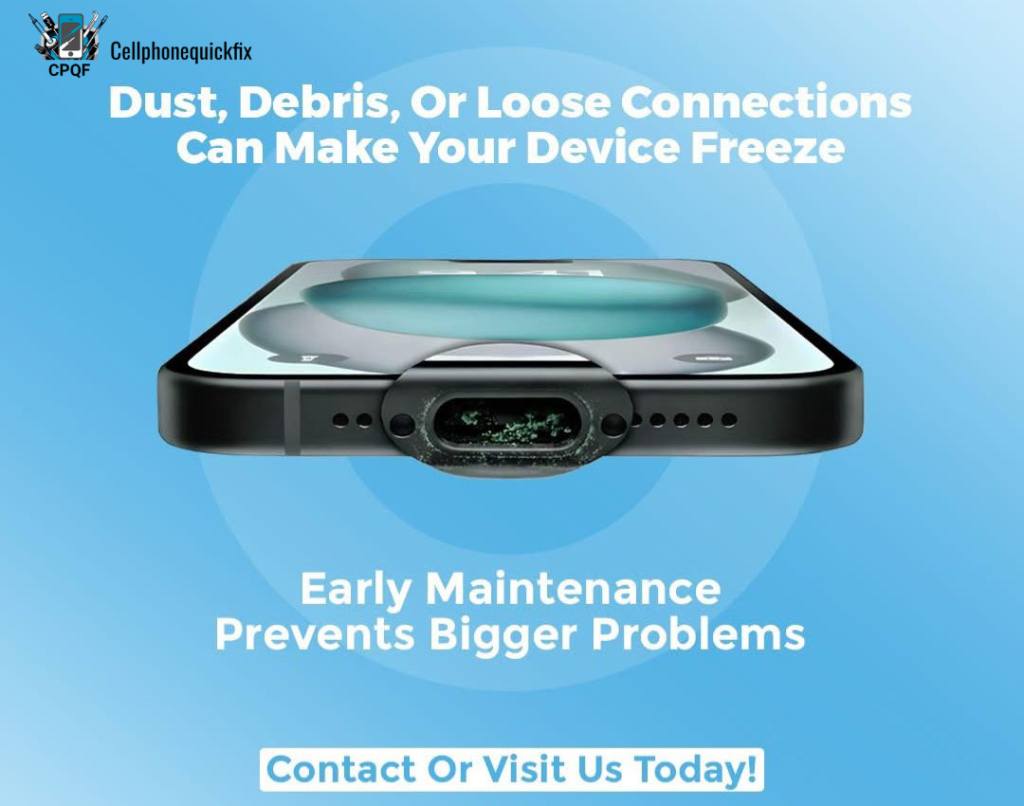
Why Dust and Debris Are Dangerous for Smartphones
Most people carry their phones everywhere — pockets, handbags, backpacks, cars, offices, kitchens, and even bathrooms. During daily use, phones constantly collect dust, lint, dirt, and tiny particles that slowly build up inside sensitive areas of the device.
The charging port is especially vulnerable because it remains exposed almost all the time. Pocket lint, dust, and debris can easily become trapped inside the port, preventing the charger from connecting properly.
Over time, this buildup may cause:
- Slow charging
- Intermittent charging
- Charging cable disconnecting frequently
- Device overheating
- Battery draining quickly
- Random freezing
- Audio problems
- Complete charging failure
Dust can also affect other areas of the device, including:
- Speakers
- Microphones
- Cooling systems
- Internal connectors
- SIM tray areas
- Camera modules
- Headphone ports
Even water-resistant phones are not fully immune to dust buildup. Small particles can still enter openings and gradually affect internal performance.
How Loose Connections Affect Device Performance
Inside every smartphone are delicate connectors and flex cables responsible for transmitting power and data between components. These connectors help your screen, battery, speakers, charging port, and motherboard communicate properly.
When a phone experiences drops, impacts, pressure damage, or repeated charging cable stress, some of these internal connections may loosen over time.
Loose connections can lead to a variety of frustrating issues, including:
Random Freezing
If power delivery becomes unstable due to loose connections, the phone may suddenly freeze or become unresponsive.
Screen Flickering
A loose display connector can cause screen glitches, flickering, or blackouts.
Charging Problems
Loose charging port connections can interrupt power flow, making the phone charge inconsistently.
Battery Issues
Poor battery connections may lead to overheating, rapid battery drain, or sudden shutdowns.
Audio Problems
Loose speaker or microphone connections can reduce sound quality or stop audio completely.
Device Restart Loops
Some phones repeatedly restart because essential components lose connection temporarily.
Ignoring these signs often causes the problem to worsen over time.
Common Signs Your Device Needs Maintenance
Many people wait until their phone completely stops working before seeking repair services. However, smartphones often show early warning signs before major damage occurs.
Here are some common indicators that your device may need professional maintenance:
Phone Charges Slowly
If your charger suddenly feels loose or charging becomes inconsistent, dust or debris may be blocking the charging port.
Device Freezes Frequently
Frequent lagging or freezing could indicate internal connection problems or overheating caused by dirt buildup.
Phone Overheats Easily
Dust accumulation inside internal components can affect heat management and airflow.
Battery Drains Faster Than Normal
Poor charging connections or damaged components may reduce battery efficiency.
Sound Becomes Muffled
Dust inside speakers and microphones can affect audio clarity.
Charging Cable Falls Out Easily
A loose charging port may no longer securely hold the cable.
Random App Crashes
Unstable internal connections can sometimes cause app failures and system instability.
Device Restarts Unexpectedly
Power interruptions from loose connectors may trigger random reboots.
Recognizing these warning signs early can prevent more serious repairs later.
How Dust Builds Up Inside Charging Ports
Charging ports are among the most heavily used components in any smartphone. Every time you plug in a charger, small particles can become compressed deeper into the port.
Pocket lint is one of the biggest causes of charging problems. Many users keep their phones in jeans or bags where fibers constantly collect around the port opening.
Over time, this buildup creates a compact layer that blocks proper charger connection.
Some users try cleaning the port themselves using unsafe tools like:
- Safety pins
- Metal needles
- Toothpicks
- Paper clips
Unfortunately, improper cleaning can damage the internal charging pins and create even bigger problems.
Professional technicians use specialized tools and safe cleaning methods designed specifically for delicate electronic components.
Why Early Maintenance Matters
Preventive maintenance is one of the best ways to extend your device’s lifespan. Just like cars require regular servicing, smartphones also benefit from periodic inspections and cleaning.
Early maintenance helps:
- Improve charging performance
- Prevent overheating
- Reduce lagging and freezing
- Extend battery life
- Protect internal components
- Avoid expensive repairs
- Improve overall device reliability
A simple charging port cleaning today could prevent the need for a costly motherboard repair tomorrow.
The Connection Between Overheating and Dust
Modern smartphones generate significant heat during gaming, charging, video streaming, and multitasking. When dust accumulates around internal components, heat may become trapped inside the device.
Excessive heat can damage:
- Batteries
- Processors
- Charging IC chips
- Display components
- Motherboards
Overheating also causes devices to slow down automatically as a protection mechanism. This often appears as lagging, freezing, or unresponsive behavior.
Regular cleaning and maintenance help improve heat dissipation and reduce long-term internal damage.
Why Cheap Chargers Make Problems Worse
Low-quality chargers and charging cables can worsen existing charging port issues.
Cheap accessories may provide unstable voltage that damages charging components over time. Combined with dust buildup or loose ports, poor-quality chargers can lead to:
- Charging IC damage
- Battery swelling
- Port burning
- Overheating
- Device instability
Using certified, high-quality chargers is essential for protecting your smartphone.
DIY Cleaning Risks
Many online videos encourage users to clean charging ports themselves. While simple cleaning may appear easy, DIY repairs often create more damage.
Common DIY mistakes include:
Damaging Charging Pins
Metal tools can bend or break internal pins.
Pushing Debris Deeper
Improper tools may compact lint further inside the port.
Static Electricity Damage
Electronic components can be damaged by electrostatic discharge.
Water Damage
Some users use liquid cleaners incorrectly, causing short circuits.
Voiding Warranty
Improper repair attempts may void manufacturer warranties.
Professional repair technicians use anti-static tools, magnification equipment, and safe cleaning techniques designed for electronics.
How Professional Technicians Diagnose the Problem
At Cell Phone Quick Fix, technicians follow a detailed diagnostic process to identify the root cause of device freezing and charging issues.
Professional diagnostics may include:
- Charging port inspection
- Battery health testing
- Internal connection testing
- Thermal analysis
- Motherboard diagnostics
- Charging voltage testing
- Software stability checks
This comprehensive approach ensures that underlying problems are properly identified rather than temporarily masked.
Devices Most Commonly Affected
Dust and loose connection issues can affect nearly any electronic device, including:
iPhones
Common problems include charging port lint buildup and loose lightning connectors.
Samsung Phones
USB-C charging ports frequently collect debris that affects charging.
Google Pixel Devices
Dust accumulation may interfere with speaker and charging performance.
Tablets and iPads
Frequent charging cable use can loosen internal connectors.
Laptops
Dust buildup inside cooling systems often causes overheating and freezing.
Gaming Consoles
Dust inside cooling fans can lead to performance problems and overheating.
Regular maintenance is beneficial for all electronic devices.
How Often Should You Get Device Maintenance?
Maintenance frequency depends on usage habits and environment.
People who work in dusty environments or frequently carry phones in pockets may need more frequent cleaning.
General recommendations include:
- Charging port cleaning every 6–12 months
- Internal device inspection annually
- Battery health checks yearly
- Immediate inspection after water exposure or drops
Regular maintenance can significantly reduce repair costs over time.
The Cost of Ignoring Small Problems
Many users delay repairs because the phone still “mostly works.” Unfortunately, minor problems often escalate into serious hardware failures.
Ignoring charging issues can eventually lead to:
- Charging IC failure
- Battery damage
- Motherboard short circuits
- Permanent data loss
- Complete device failure
What starts as simple dust buildup may eventually require expensive component replacement.
Early maintenance is almost always more affordable than major repair work.
Why Professional Maintenance Is Worth It
Professional technicians provide much more than basic cleaning.
A quality repair shop offers:
- Proper diagnostic testing
- Safe internal cleaning
- Professional repair tools
- Genuine or high-quality parts
- Expert handling
- Preventive inspections
- Warranty-backed services
This level of care helps ensure long-term device reliability.
Protecting Your Device from Dust and Debris
While regular maintenance is important, there are also ways to reduce dust buildup between service visits.
Use a Protective Case
Cases help reduce exposure to dirt and dust.
Avoid Carrying Phones in Dusty Pockets
Lint-heavy pockets can quickly fill charging ports with debris.
Use Port Covers
Small dust plugs can protect charging ports when not in use.
Keep Devices Away from Moisture
Moisture combined with dust creates corrosion risks.
Clean Exterior Surfaces Regularly
Wiping down the phone helps prevent dirt accumulation.
Use High-Quality Accessories
Reliable chargers reduce electrical stress on components.
When You Should Visit a Repair Shop Immediately
Certain symptoms should never be ignored.
Visit a professional repair technician if your device:
- Stops charging completely
- Overheats excessively
- Smells like burning
- Shows battery swelling
- Restarts constantly
- Experiences severe freezing
- Has visible charging port damage
- Becomes unusually slow
Prompt attention can prevent permanent damage.
Why Customers Trust Cell Phone Quick Fix
At Cell Phone Quick Fix, we understand how important your devices are for everyday life. Our experienced technicians specialize in diagnosing and repairing smartphones, tablets, laptops, and other electronics quickly and professionally.
We provide:
- Charging port cleaning
- Device diagnostics
- Battery replacement
- Charging repair
- Screen repair
- Internal maintenance
- Water damage inspection
- Software troubleshooting
Our team uses professional tools and quality parts to ensure dependable results.
Whether your phone freezes constantly, charges slowly, overheats, or shows signs of loose connections, we’re here to help restore your device’s performance.
Final Thoughts
Dust, debris, and loose internal connections may seem like small issues, but they can create major problems for smartphones and other electronic devices. From charging failures and overheating to freezing screens and battery damage, these hidden issues can seriously affect performance if left untreated.
The good news is that early maintenance and professional inspections can prevent many of these problems before they become expensive repairs.
Paying attention to warning signs such as slow charging, overheating, lagging, or loose charging cables can help you take action before serious damage occurs.
Regular maintenance not only improves performance but also extends the lifespan of your device and protects your investment.
If your phone has started freezing, charging inconsistently, or showing signs of internal connection problems, don’t wait until it completely stops working.
Visit Cell Phone Quick Fix today for expert diagnostics, charging port cleaning, maintenance, and professional repair services designed to keep your devices running at their best.